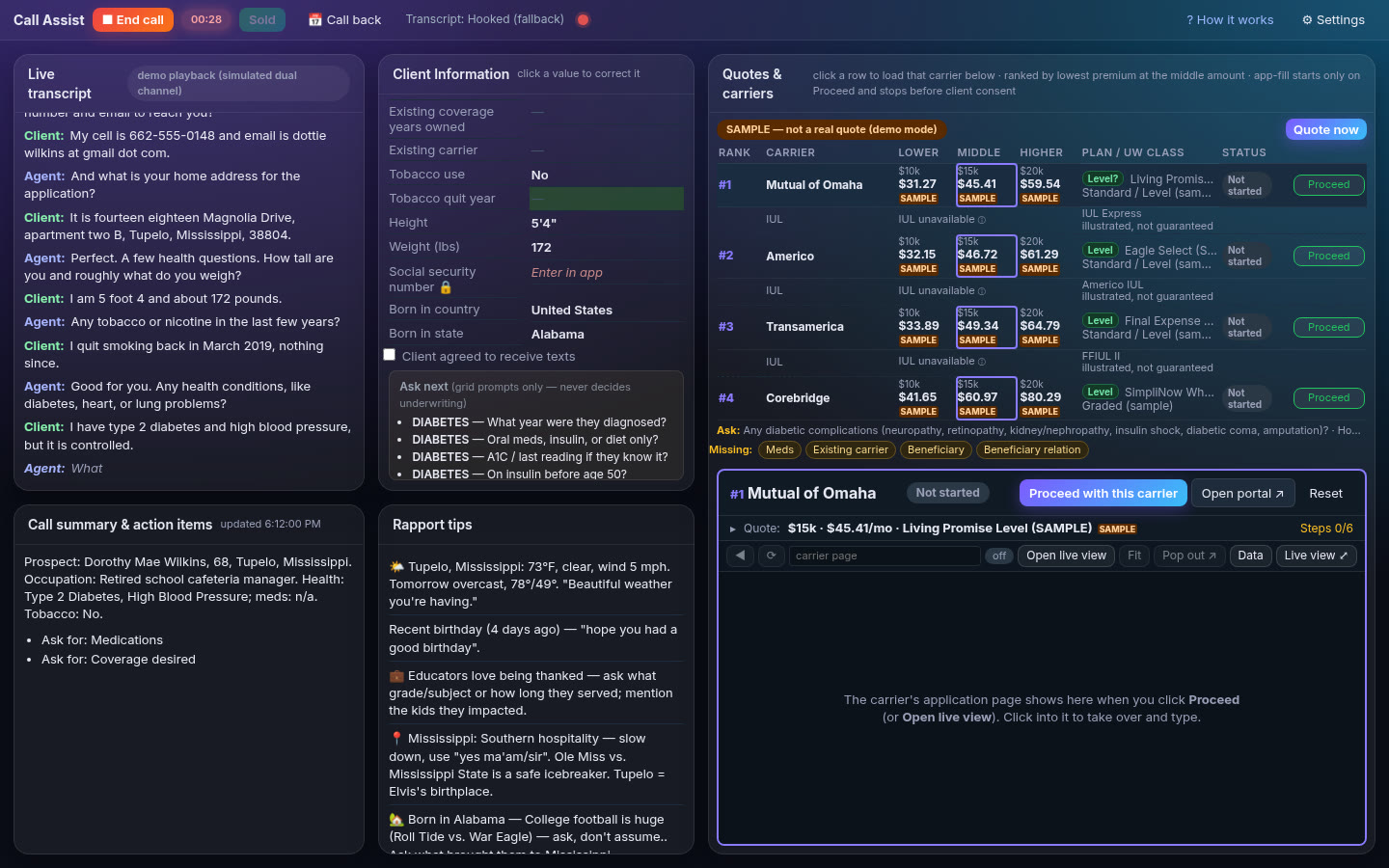
Call Assist listens along on inbound, outbound and kitchen-table sales. It fills in your client's info as they talk, runs all your carriers' quotes in under a minute, and gets the application started, so you can focus on the person in front of you.

Real Call Assist screen from a scripted demo call. Sample client and SAMPLE quotes, not real people or real premiums.
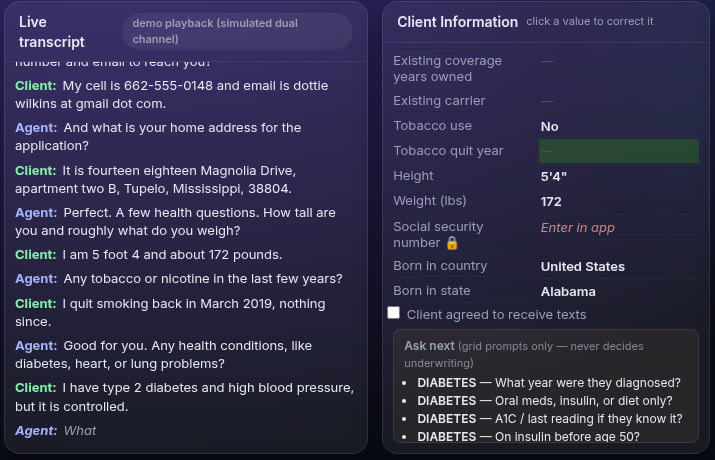
Click Start call and Call Assist transcribes both sides of the conversation in real time. Name, birthday, state, height and weight, health, meds, coverage and beneficiary land in Client Information on their own.

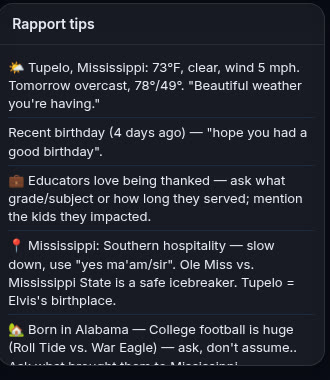
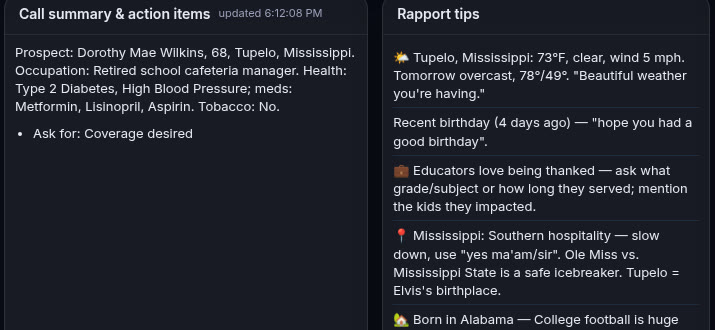
Working a lead list? Call Assist keeps up with you call after call: a running summary with action items, rapport tips from the client's town and life, and a clean reset for the next dial.
No rip-and-replace. Call Assist runs on your own Windows PC next to the tools you already use.
Captures your headset mic and call audio straight from the PC, so it works with whatever you're dialing on.
A Chrome extension can pull the transcript and lead details from your browser-based CRM and dialer screen.
Your carrier portals open right inside the dashboard. Watch the e-app fill, click in to take over, or pop it out.
On a laptop at the kitchen table, it listens to the room just like it listens to a call.
Keep your eyes on the family, not the keyboard. Talk naturally while Call Assist builds the file, lines up quotes side by side, and pre-fills the carrier application for you to review.

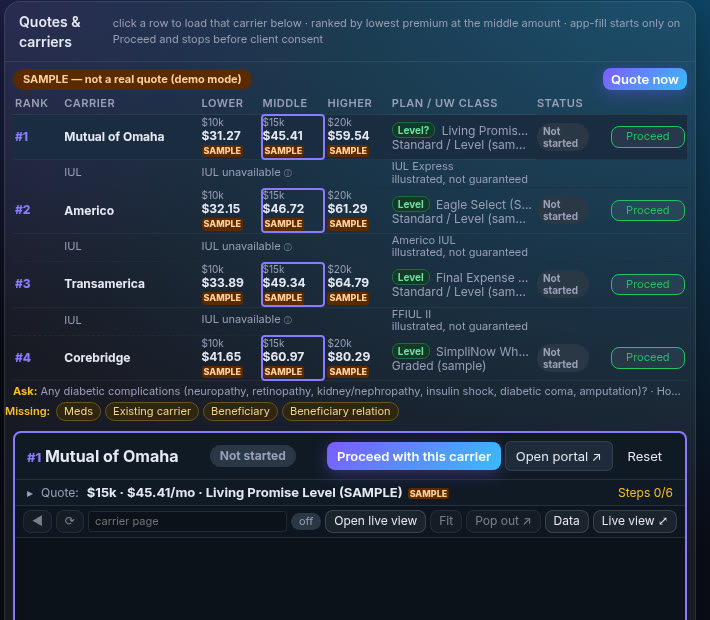
As soon as it hears age, gender and state, Call Assist runs the carriers you picked, ranks them by premium at three coverage amounts, and shows plan and underwriting class. Pick one and click Proceed.
Screenshot shows SAMPLE quotes from demo mode.
When you mark a sale Sold, the client's details are saved to your own Clients folder on your PC. Next time, for a spouse, a second policy or a replacement, the info is already there.
A quick, beginner-friendly setup. Choose the carriers you're appointed with.
Phone, dialer or in person. Click Start call and talk like you normally do.
Client info and ranked quotes appear while you talk. Open any carrier in Live View.
Check every answer. You always sign and submit applications yourself.
Real screens from a scripted demo call with a made-up client. Quotes are labeled SAMPLE.


No call-hours limit. Use on 2 computers per seat. Yearly saves 2 months.
or $1,390/yr
10 seats $119 · 50 $99 · 250 $85 · 500 $75 · 1,000 $65
1,000+ seats, yearly quote. Contact us.
No. It fills in what it can and stops for your review. You always sign and submit applications yourself.
A Windows PC with a headset, Google Chrome, and your own carrier portal logins.
It listens to your headset audio on the PC, so it works alongside the phone or dialer you already use. It can also link with a browser-based CRM through its Chrome extension.
Yes. Run it on a laptop at the appointment and it listens to the conversation the same way.
Client files are saved on your own computer. See our Privacy policy.
Quotes come from the carriers you set up. Always confirm the final premium in the carrier's application.
Every plan includes a 14-day free trial. See the Refund policy for details.
Start your 14-day free trial or ask us anything.